One-Click Run
Press Run or F5. The bundled javac compiles only what your program needs and launches it instantly — no build steps, no configuration, no build files cluttering your project.
JavaLite IDE is a standalone Windows app with a complete JDK inside the installer. Write, compile, and run Java — console apps, Scanner input, even Swing GUI windows — with no internet, no Java setup, and no configuration.
public class Main {
  public static void main(String[] args) {
    System.out.println("Hello, Java!");
  }
}
Designed for people who want Java to just run — students, hobbyists, and developers who work offline.
Press Run or F5. The bundled javac compiles only what your program needs and launches it instantly — no build steps, no configuration, no build files cluttering your project.
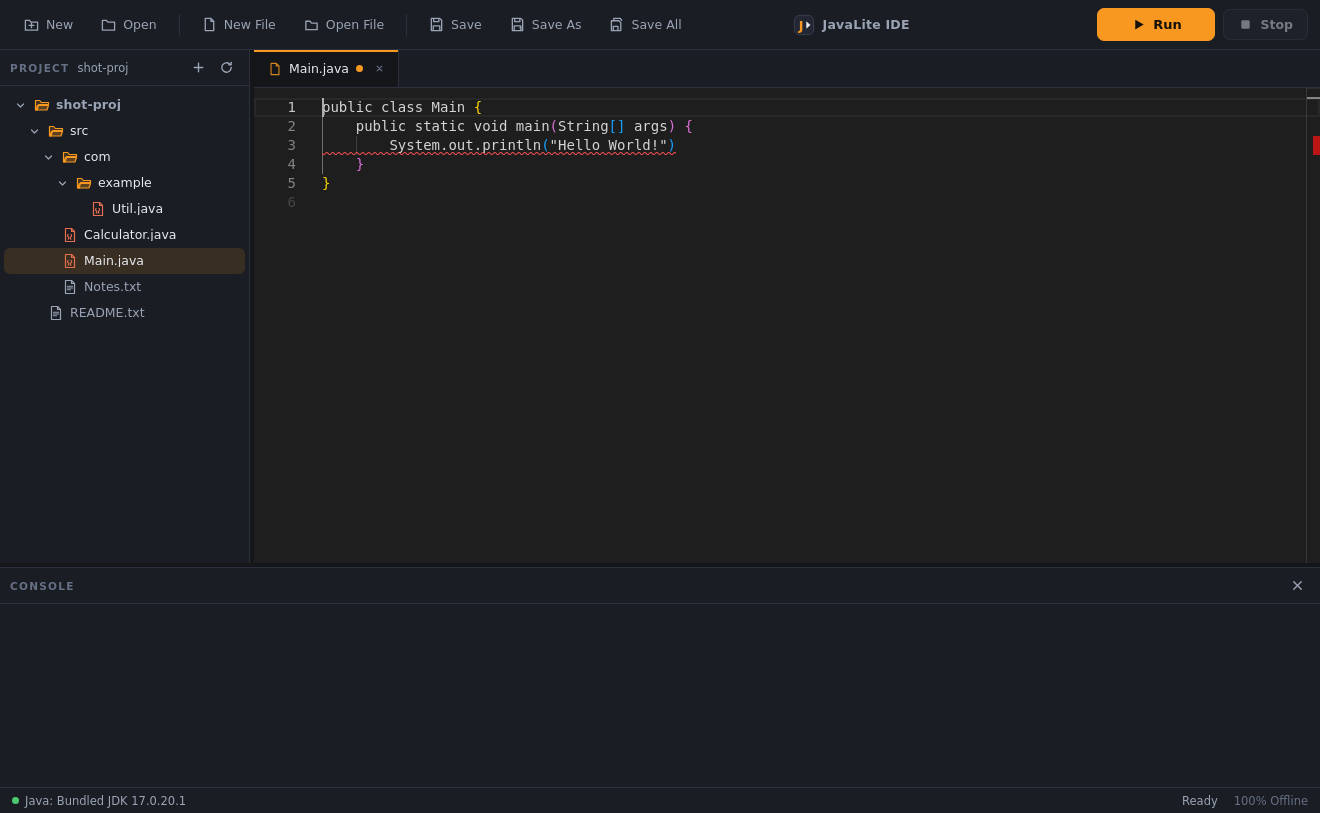
Real compiler diagnostics while you type: red underlines, gutter markers, and the exact javac message on hover — all cleared the moment you fix the code.
No internet for editing, compiling, or running. No telemetry, no auto-updates, no cloud. Your code never leaves the machine.
A complete Eclipse Temurin 17 JDK ships inside the installer. No Java install, no JAVA_HOME, no PATH — it works on a bare PC.
The Monaco editor (the engine behind VS Code): Java syntax, autocomplete, find & replace, go-to-line, code folding, auto-indent, and bracket matching.
AWT and Swing programs open real desktop windows. Close the window — or press Stop — to end the program cleanly.
Only your entry file and its real dependencies are compiled, so an unrelated broken file can never block a working program.
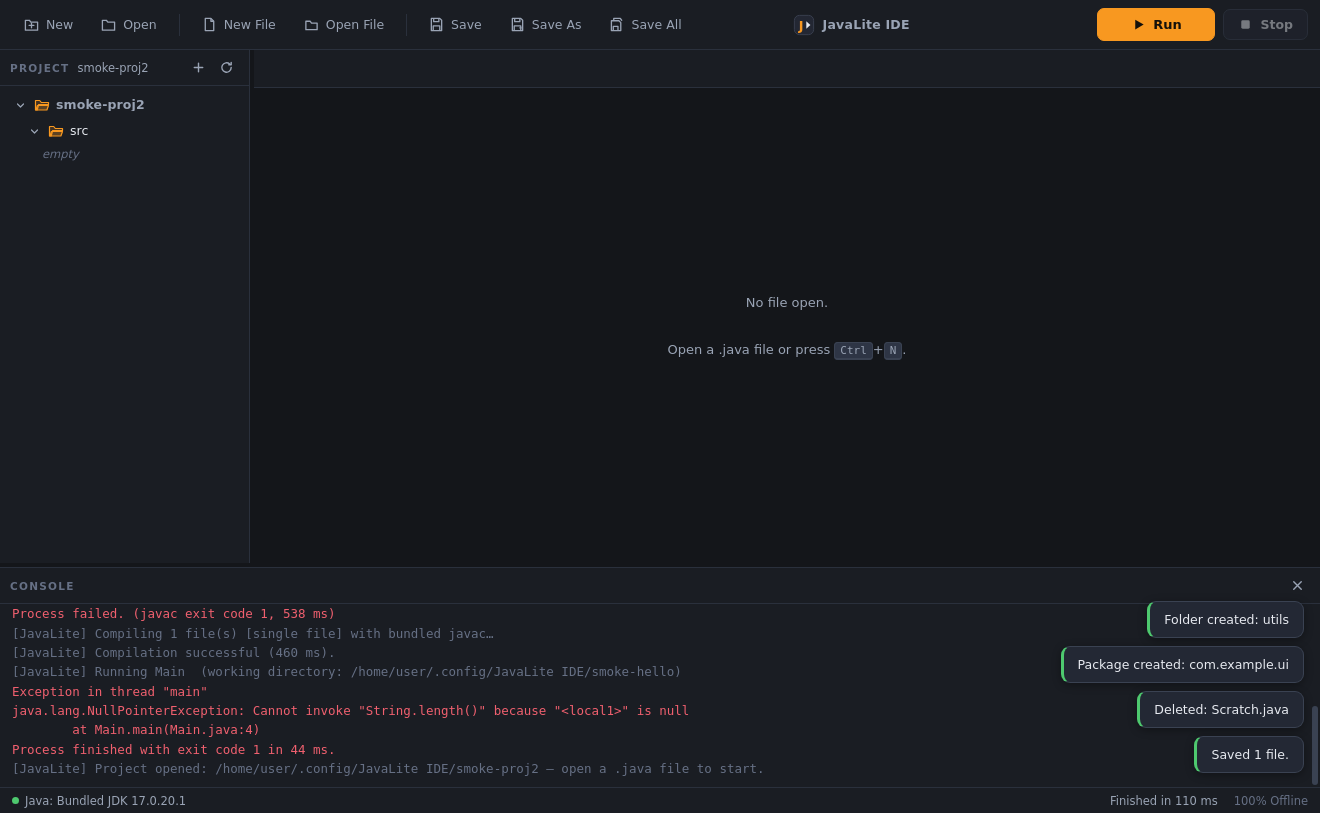
Folders, packages, rename, delete, and reveal in Explorer — every action with confirmation and instant tab + tree updates.
Live output with a real input line: type while the program is running, and send EOF to close the program's stdin.
Save / Don't Save / Cancel when closing a tab, and a full guard when closing the app with unsaved files. Edits are never silently lost.
One click — or Ctrl+Alt+S — saves every open file at once, with a confirmation toast.
Ctrl+S, Ctrl+Z / Ctrl+Y, Ctrl+F / H / G, Ctrl+/ to comment, F5 to run — every common action has a shortcut.
A clean, fast editor that stays out of your way. Java syntax, smart completions, and the editing power you'd expect from a professional tool.
Autocomplete from your own open files
No build steps, no "how do I launch this". One button compiles and runs your program, and the console streams everything back.
Real compile + run, streamed live
The real javac checks your file in the background while you type. Mistakes get a red underline the moment they become real errors — and the compiler's own message is one hover away.
Live javac diagnostics — no Run needed to find mistakes
A project tree that mirrors the disk, with real folder and package support — and guards everywhere so nothing you wrote can disappear.
Packages, rename and delete — all real, all confirmed
Press the Run button below — this is exactly what a real run looks like in the app.
public class Main {
  public static void main(String[] args) {
    System.out.println("Hello, World!");
  }
}
Animated preview of a real JavaLite IDE run.
Create a Java file and start typing. The editor highlights, autocompletes, and checks as you go.
Press the Run button or F5. That's the whole build system.
The bundled javac compiles only your entry file and its real dependencies — automatically.
Program output streams into the console, with the exit code and time at the end.
Explore high-definition previews of the actual JavaLite desktop application in action.
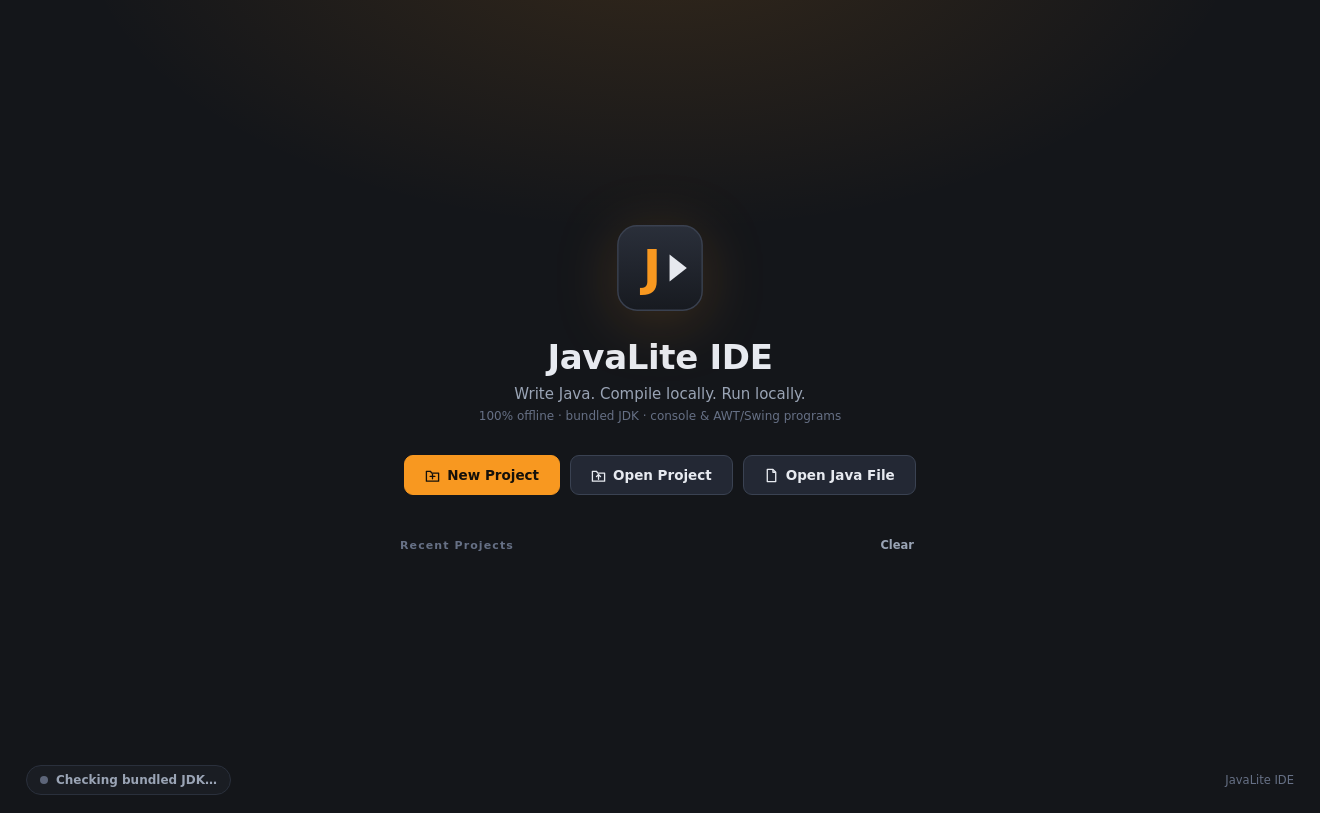
Launch JavaLite IDE and begin coding immediately. The pre-packaged Eclipse Temurin JDK is verified in milliseconds on launch — no JAVA_HOME, no PATH variables, and no system dependencies.
Silent background javac compilation checks your active files as you write. Read accurate compiler errors on hover with inline squiggly underlines and gutter markers that auto-resolve as you type.
Experience the editing capabilities of modern IDEs: multi-tab workflows, comprehensive search and replace, intelligent auto-indent, bracket matching, and integrated Save All safeguards.
A standalone desktop Java IDE for Windows. It includes a code editor, a real compiler, a run console, and project management — and it ships with a complete JDK inside the installer, so nothing else needs to be installed.
Windows 10 and 11 (64-bit) are available today. macOS and Linux builds are in planning — check the changelog for announcements.
No. A complete Eclipse Temurin JDK 17 is bundled inside the installer. JavaLite never looks for a system Java, and JAVA_HOME / PATH are not used.
Yes — 100%. Editing, compiling, running, console input, settings, and everything else work with no internet connection. There is no telemetry and no update mechanism that phones home.
Download the ZIP, extract it, and run JavaLite-IDE-Setup.exe. Follow the wizard and launch the app — the start screen shows the bundled JDK being verified. A portable version is included too (run it directly, no install).
Yes. AWT and Swing programs open real desktop windows from inside the IDE. Close the window to finish, or press Stop to terminate the program.
Email fixcorpindia@gmail.com with the app version and a short description of the problem.
Yes, it's free to download and use. Updates are announced on this website's changelog.
Free for Windows 10/11. Full JDK 17 bundled. Works 100% offline, with zero setup.